Magic SMS - Text Messages
- 4.5
- Rating
- 1.00M
- Installs
- Free
- Price

 Analysis by App-foxy
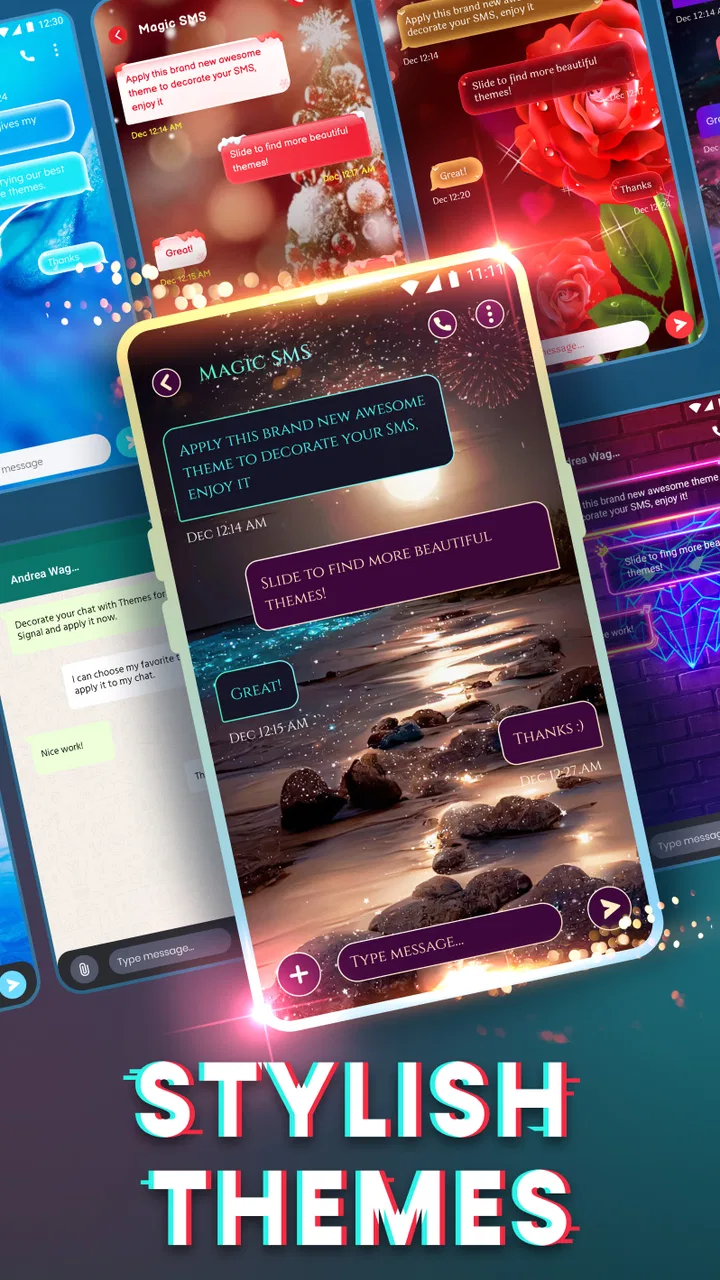
I spent time with Magic SMS - Text Messages as a communication app rather than treating it like another decorative texting tool. Its main appeal is straightforward: it gives Android users a fast way to handle SMS conversations while adding themes that make the experience feel more personal. That combination will suit people who still rely on ordinary text messages but want more control over how their inbox looks and feels.
The app comes from Snug Apps and is free to install, with optional in-app purchases ranging from $0.99 to $26.99 per item. It is rated for Everyone, works from Android 6.0 onward, and the current version is 1.3.4.51. Those details make it approachable for people using older Android phones, although the actual experience can still depend on the phone’s screen, system settings, and comfort with messaging apps.
What interested me most was how the visual customization affects everyday use. Themes can make texting more pleasant, but they can also create problems if decoration reduces contrast or makes controls harder to recognize. I therefore looked at Magic SMS through a practical accessibility lens: how easy it is to read, navigate, operate in different situations, and recover when the interface is not quite right for you.
You May Also Like

 Blood Strike: 2.5 Anniversary
Blood Strike’s Loadouts Turn Every Drop Into a Tactical Gamble
A close look at Blood Strike’s custom loadouts: how fast access to signature weapons reshapes its battle royale rhythm, rewards preparation, and narrows the gap between fights.

 Pandora - Music & Podcasts
Pandora’s Music Is Easy to Start, but Harder to Recover
Pandora’s strength is its low-effort path from a seed to a station. Its weak spot is how much confidence it asks you to place in connection, setup, and quiet recovery.

 8 Ball Pool
 Is Built on Rivalries, Rematches, and Routine
A close look at the rivalries, rematches, shared routines, and unanswered safety questions that turn a quick pool match into a persistent mobile community.

 Samsung Music
’s Quiet Strength Is Playing What You Already Own
Its reach comes less from spectacle than from dependable access to a personal library. That simplicity is both the app’s strongest retention engine and its ceiling.

 AccuWeather: Weather Radar
AccuWeather Review: A Quick, Clear Forecast for Everyday Decisions
For everyday plans, the best forecast is the one you can understand quickly. AccuWeather makes rain timing, radar, and local conditions easy to act on, with a few trade-offs.

 Hill Climb Racing
Why Hill Climb Racing Still Turns Crashes Into One More Run
A tiny car, a bumpy hill and one more upgrade: Hill Climb Racing keeps resurfacing because its simple chaos makes every near-miss feel personal.
More From Our News Desk



Readability and navigation in everyday texting
Magic SMS is at its best when I want a familiar messaging workflow without the visual plainness of a basic stock SMS application. Conversations remain the center of the experience, and the theme-based approach gives the interface a more personal character. For someone who finds a standard messaging screen dull or visually uncomfortable, this can make routine replies feel less like a chore.
The important trade-off is that a theme is not automatically an accessibility improvement. A colorful background may look attractive in a preview but become tiring when a conversation contains many messages. I would choose a restrained design first, then test it with a real exchange rather than judging it only by appearance. If text blends into the background, the theme has failed its most important job, regardless of how attractive it looks.
Navigation is easiest for people already comfortable with Android messaging conventions. Magic SMS is not a replacement for learning how SMS works; it is a different front end for that familiar activity. That means a person who understands conversation lists, compose controls, and message threads should be able to settle in quickly. Someone who struggles with changing app layouts may need a little time to identify where the theme settings and ordinary messaging actions sit.
I also found that visual consistency matters more than novelty. When I am replying quickly, I do not want a decorative element to compete with the contact name, message text, or send control. My practical advice is to configure the appearance when you are calm, not while trying to send an urgent message. Once the layout feels clear, leave it alone instead of changing themes every few minutes.
For readers with low vision, the most useful approach is to combine a simple Magic SMS theme with the phone’s own display settings. Larger system text, stronger contrast, and a comfortable screen brightness can do more than decoration alone. The app should be judged together with the Android device, because the same theme may feel perfectly readable on one display and cramped on another.
There is also a useful distinction between reading a short text and following a long conversation. A brief message can remain comfortable even when a theme is busy, while a long thread may expose every weakness in spacing, contrast, or visual hierarchy. If you regularly use SMS for detailed instructions, addresses, appointment information, or work coordination, test those situations before committing to a heavily styled appearance.
Making themes work for different readers
I would begin with the least distracting theme and use it for a full day. Check whether contact names stand apart from message bubbles, whether incoming and outgoing messages are easy to distinguish, and whether the compose area remains obvious when the keyboard is open. These are small checks, but they reveal more than a quick glance at the customization screen.
People who are sensitive to visual clutter may prefer Magic SMS only after reducing the decorative side of the experience. The app’s strength is choice, but choice can become friction when every option demands attention. A good setup is the one that lets you read and answer without thinking about the interface.
For older relatives, I would configure the app for them rather than asking them to explore every theme. A calm background, readable text, and a clear conversation list are more valuable than a wide variety of visual styles. I would then ask them to send a message and open a reply themselves. That simple test shows whether the chosen setup works with their habits, eyesight, and confidence.
Magic SMS is not the right recommendation for somebody who needs a messaging interface built specifically around large, simplified controls or advanced assistive workflows. It may still be usable with Android’s broader accessibility settings, but I would not present themes as a substitute for a purpose-built accessible phone environment.
Motor and sensory considerations when sending messages
Text messaging is usually a touch-heavy activity, so the main motor question is not whether Magic SMS adds a special control system; it is whether the interface stays manageable while you tap, scroll, open a thread, and use the keyboard. In my experience, the app makes most sense for people who already have a reliable way to interact with Android touch controls.
For users with limited precision, the keyboard remains the biggest practical factor. Magic SMS can provide the conversation environment, but typing comfort is strongly influenced by the keyboard selected on the phone, its size, and its prediction behavior. I would adjust those settings before blaming the messaging app for missed taps or slow composition.
A useful workflow is to write longer messages in short sections and pause before sending. This is especially helpful when a theme makes the compose area less visually prominent. If you use one-handed operation, try the app while walking through your normal reach pattern rather than assuming that a visually attractive layout will be physically comfortable.
People with tremors or reduced dexterity may prefer fewer theme changes and a predictable routine: open the conversation, tap the compose field, type, review, and send. The less often you hunt for a control, the fewer opportunities there are for accidental taps. I would also avoid relying on tiny decorative icons when a clearer, familiar control is available.
For users who are deaf or hard of hearing, text messaging itself can be a practical communication channel because it does not depend on listening to a call. Magic SMS fits that use case naturally. It is useful for arranging a pickup, confirming a delivery, or keeping in touch when spoken conversation is inconvenient. Still, the app should not be treated as a complete communication solution for every situation; the value of SMS depends on the people and services you need to reach.
For users with light sensitivity or sensory discomfort, a quiet theme and a suitable phone brightness level are more sensible than chasing visual effects. I would test the app in both a dim room and bright daylight. A design that looks comfortable indoors can become difficult to read outside, while a high-brightness setup can feel harsh at night.
Voice interaction is another area where expectations should remain realistic. Magic SMS is a texting app, not a dedicated voice-control environment. If your main need is composing messages without touching the screen, your phone’s operating-system tools or a keyboard with voice input may be more important than the app’s theme options. In that case, Magic SMS can be the place where the message appears, but it may not be the feature that determines whether the whole process is accessible.
Small habits that reduce mistakes
I recommend creating a short personal test before using the app for important conversations. Open a thread, scroll through several messages, type a sentence, correct a word, and return to the conversation list. Notice whether the controls remain easy to find after the keyboard appears and disappears. This catches problems that are invisible when you only browse the theme gallery.
Another useful habit is to keep a plain visual setup available. If a decorative theme becomes tiring, you can switch back instead of abandoning the app altogether. This matters for people whose comfort changes with lighting, fatigue, headaches, or the length of a texting session.
Families helping someone else should also check the app after a phone update or a major settings change. Text size, display scaling, and keyboard behavior can shift the balance between comfortable and frustrating use. A setup that worked last month may need a small adjustment, and that is easier to solve when the person using the phone is involved in the test.
Situational access: where Magic SMS fits well
The strongest everyday scenario for Magic SMS is simple coordination. Imagine arranging a school pickup, confirming an appointment, or sending a quick update to a family member. You may not need a feature-rich internet messenger; you need a readable thread, a familiar compose action, and a way to make the app feel less sterile. In that setting, the themed approach adds personality without changing the basic purpose of SMS.
It can also suit people who communicate with contacts who do not use the same chat platform. Unlike app-to-app services that work best when everyone joins the same network, SMS can remain the common denominator. That makes Magic SMS a reasonable choice for mixed groups of relatives, service providers, and casual contacts.
The trade-off is that ordinary SMS does not offer the same experience as modern internet messaging services. If you need rich group collaboration, extensive media handling, desktop continuity, or advanced conversation tools, a dedicated chat platform may be a better fit. Magic SMS is most convincing when the simplicity and reach of texting matter more than a long list of extras.
It may be helpful for people who want a personal-looking inbox on an older Android phone. The minimum operating-system requirement reaches back to Android 6.0, which gives the app a wider compatibility range than an application limited to recent devices. Still, compatibility is not the same as comfort. An older phone may have a smaller display or slower response, so I would test the actual device rather than assuming the age range guarantees a smooth experience.
Magic SMS can also work for someone who wants to separate communication from more crowded social apps. A dedicated SMS environment may feel calmer than opening a platform full of feeds, notifications, and unrelated content. The benefit is focus: open the messaging app, answer the thread, and leave. The limitation is that the app cannot make every conversation calm if the phone itself is constantly interrupting you.
For travel or unreliable data situations, SMS can be useful because it is not dependent on the same kind of internet connection as many chat services. That does not mean every message is free or available everywhere; normal mobile-service conditions still matter. I see Magic SMS as a convenient interface for SMS, not as a promise that texting will work independently of your carrier or plan.
People who share a phone with someone else should think carefully before choosing a heavily personalized theme. A design that helps one person may confuse another, particularly when several users have different eyesight or familiarity with Android. In a shared environment, clarity should win over personality.
Remaining barriers and points of friction
The biggest limitation is the gap between visual customization and full accessibility. Magic SMS can change how messaging looks, but a theme cannot solve every issue involving touch precision, screen reading, cognitive load, or sensory comfort. I would recommend it as a customizable SMS app, not as an accessibility product with specialized guarantees.
In-app purchases are another point to consider. The app is free, but optional items cost from $0.99 to $26.99 each. That does not make the free experience unusable, yet it means you should be clear about whether the appearance you want is included or requires an additional purchase. For a person choosing an app specifically to control spending, this is worth checking before investing time in customization.
The large user base suggests that Magic SMS has reached a broad Android audience: it has more than a million installs, an average rating of 4.5 from around eighteen thousand ratings, and about sixteen hundred written reviews. I treat those figures as signs of general appeal rather than proof that it will suit every reader. Accessibility needs are personal, and a popular theme can still be wrong for someone with particular contrast, motion, or motor requirements.
The app’s Everyone age rating makes it approachable for households with different age groups, but age suitability does not automatically describe ease of use. A child, an older adult, and a busy professional may all need different visual arrangements and different levels of guidance. I would configure the app around the person’s actual texting habits instead of relying on the rating as a usability judgment.
There is also a learning cost when moving away from the phone’s default messaging app. Even if the basic actions feel familiar, contacts, notification behavior, and personal preferences may not look exactly as expected. Before making Magic SMS your main tool, I would send test messages to a trusted contact, check how replies appear, and confirm that your usual conversation routine feels natural.
Another barrier is the risk of over-customizing. The more attention a theme demands, the more difficult it can be to find the information that matters. This is particularly noticeable when you are tired, in a hurry, or reading under poor lighting. My strongest practical recommendation is to treat themes as a finishing touch, not the foundation of the messaging experience.
Magic SMS is also less suitable if your communication depends mainly on features outside ordinary texting. Someone who needs a unified inbox across several services, detailed collaboration tools, or a highly specialized assistive interface should look at alternatives designed for those priorities. A conventional SMS app with fewer visual choices may actually be better if it provides a cleaner, more predictable workflow on your particular phone.
My inclusive verdict after using Magic SMS
I see Magic SMS as a friendly option for Android users who want ordinary SMS conversations to feel more personal without moving to a completely different communication network. Its themes are the defining attraction, and they can make the app more inviting when chosen with restraint. The developer, Snug Apps, has positioned it as a free communication app rather than a complicated messaging suite, and that focus is easy to understand.
The best setup is the one that improves recognition without sacrificing readability. I would choose a calm theme, pair it with the phone’s display adjustments, and test the complete process from opening a thread to sending a reply. That approach is more useful than selecting a design based only on color or novelty.
I would recommend it to someone who still uses SMS regularly, prefers a personalized interface, and is comfortable with standard Android touch navigation. It is especially reasonable for mixed-contact communication, older compatible phones, quick family coordination, and people who want a dedicated texting space instead of a busy social platform.
I would be more cautious about recommending it to someone who needs guaranteed large controls, specialized screen-reader behavior, extensive voice operation, or a messaging service built around rich media and group productivity. In those cases, the default app, an accessibility-focused phone setup, or a modern internet messenger may be the stronger choice.
My final impression is positive but practical. Magic SMS does not need to replace every communication tool to be useful. It succeeds when you want SMS to be quick, familiar, and visually less generic. Its inclusive value depends heavily on the theme you choose and the Android settings around it, so I would spend a few minutes tuning the display before judging the app. If that balance works for you, this is a pleasant way to make everyday texting feel more like your own.
It was released on June 11, 2021, and its current version is 1.3.4.51. Those details matter less than the real test: whether you can comfortably read a conversation, find the compose action, correct a mistake, and send a message when the lighting, device, and situation are not ideal. For me, Magic SMS passes that test best as a simple, customizable SMS choice—not as a universal answer for every accessibility need.
FAQs for Magic SMS - Text Messages
01What is Magic SMS - Text Messages, and what can I use it for?
Magic SMS - Text Messages is a messaging application designed for sending and receiving text messages through a mobile device. After testing its main features, it works best as a straightforward SMS tool for managing conversations, composing new messages, and keeping communication organized. It may be useful for users who want an alternative messaging interface, although available functions can depend on the device, operating system, carrier, and permissions granted.
02Does Magic SMS - Text Messages require an internet connection to send messages?
The application is primarily intended for SMS communication, so sending traditional text messages generally depends on your mobile carrier and an active cellular service rather than Wi-Fi alone. An internet connection may still be needed for downloading the app, updates, advertisements, backups, or optional online features. Before relying on it, check your carrier’s SMS plan because standard messaging charges may apply.
03Can I use Magic SMS - Text Messages as my default messaging app?
On compatible Android devices, Magic SMS - Text Messages may be able to function as the default SMS application, allowing it to handle incoming texts and new conversations. You normally need to approve this change in the system settings. iPhone users should be aware that iOS restricts third-party apps from replacing Apple’s Messages app for standard SMS, so functionality can differ considerably between Android and iOS.
04Is Magic SMS - Text Messages free to download and use?
The app may be available as a free download, but users should review the store listing carefully because free access does not always mean that every feature is completely free. Some versions may include advertising, optional purchases, or limitations on customization. Your mobile operator can also charge for SMS messages according to your plan, so app pricing and carrier messaging costs should be considered separately.
05What permissions and privacy considerations should I know about before installing it?
A messaging app commonly requests access to SMS messages, contacts, notifications, and sometimes phone-related permissions so it can display conversations, identify recipients, and alert you about incoming texts. These permissions are central to its operation, but they also involve sensitive personal information. Before installing Magic SMS - Text Messages, read its current privacy policy and Google Play or App Store disclosures, and grant only permissions you understand and consider necessary.
Pros
- Simple interface makes sending and managing texts easy.
- Supports quick replies for faster everyday conversations.
- Conversation threads keep messages organized by contact.
- Lightweight design should run smoothly on many Android devices.
- Useful customization options help personalize the messaging experience.
Cons
- Some features may depend on your phone’s default SMS settings.
- Advanced tools can feel limited compared with larger messaging apps.
- The app may require several permissions to handle texts properly.
- SMS charges may still apply according to your mobile carrier plan.
- Compatibility and features can vary between Android versions and devices.

Magic SMS - Text Messages
Gallery